How to View status information for your account?

  • Login to cPanel using Email Account and Password



  • List will appear to you ,Choose Services
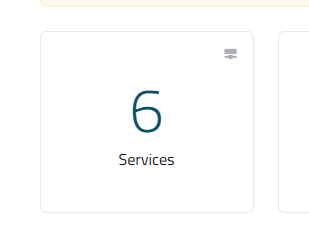
 

  • List of Services will appear to you ,Choose the Service you want to Control



  • List of Actions will appear ,Choose Login to cPanel

 

  • In the right column of the cPanel home screen, locate the General Information Heading
  • This section shows your username, primary domain name, and other Basic Information
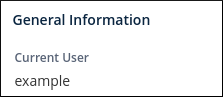
 

cPanel home screen - General Information


  • To view additional information about your account, click Server Information in the General Information Section
  • The Server Information page shows you information about your hosting account, IP address, software version numbers (including the cPanel version), and other Features

 

cPanel home screen - Server Information


  • In the right column of the cPanel home screen, locate the Statistics Heading
  • The Statistics column displays information about CPU and memory usage, bandwidth transfer, and more

  • 0 Users Found This Useful
Was this answer helpful?

Related Articles

How to Access cPanel features?

Login to cPanel using Email Account and Password     List will appear to you ,choose...

How to login to cpanel?

Login to cPanel using Email Account and Password     List will appear to you ,choose...

How to update contact information and preferences in cPanel?

Login to cPanel using Email Account and Password     List will appear to you ,choose...

How to change cpanel password?

Login to cPanel using Email Account and Password     List will appear to you ,choose...

How to change the cPanel language?

Login to cPanel using Email Account and Password     List will appear to you ,choose...