- Login to cPanel using Email Account and Password

- List will appear to you ,choose Services

- List of Services will appear to you ,choose the Service you want to control

- List of Actions will appear ,choose Login to cPanel

-
To access cPanel features, follow this step:
There are two ways to access cPanel features:
1.
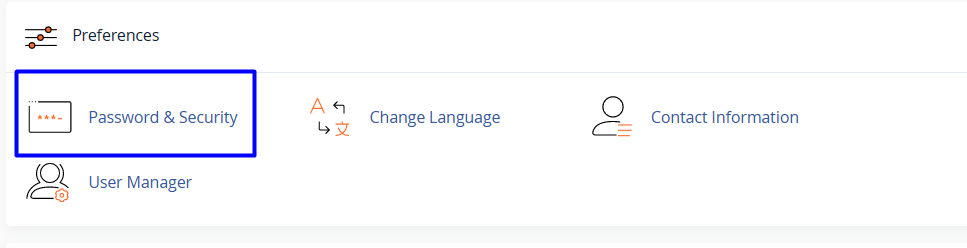
You can browse the various home screen sections and click the appropriate icon. For example, to change your password, locate the Preferences section, and then click Password & Security.
2.
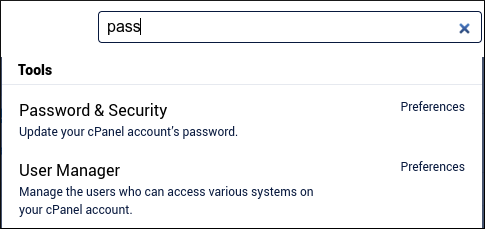
Alternatively, you can start typing the feature name in the Search Tools text box. For example, to change your password, type pass in the Search Tools text box. Only a few results appear, including Password & Security at the top: